


The app in short
What Is Instagram Elite?
Instagram Elite is the name readers use for EliteInsta, a modified build of the Instagram client made by the developer elitevishal. It is not a skin, a wrapper or a web view: it is the full Instagram application rebuilt as its own app, with its own package, its own icon and the project's gold crown branding, distributed directly by its developer as an installable Android file.
Because EliteInsta carries a different package name (com.eliteapp.android) from the official app, the two installs never collide. You can keep the official Instagram on your phone for one account and run EliteInsta for another, or simply keep the official app untouched as a fallback while your daily scrolling moves to the gold build. You sign in with your normal Instagram account, and everything that account can see, post and send works the way it does in Instagram itself: the home feed, Reels, Stories, direct messages, Explore, profiles and notifications.
This page is the download home for the current EliteInsta release: the verified file, the honest facts about what this build is and is not, and guides written from running it beside the official app on real phones.
From the app itself
Instagram Elite Screenshots
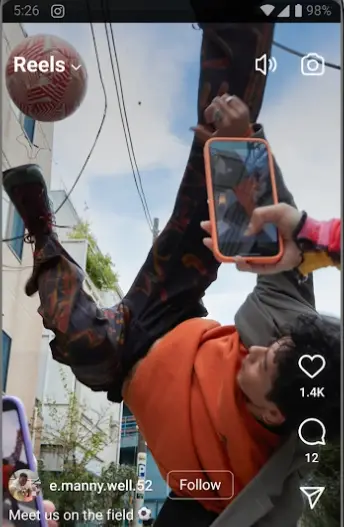
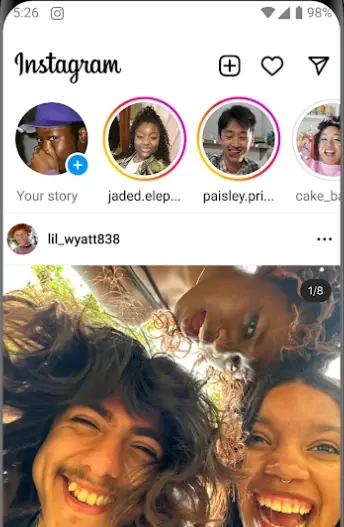
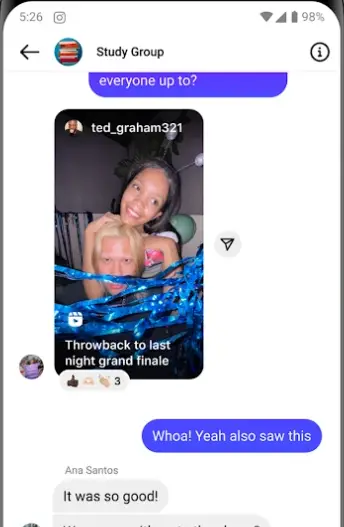
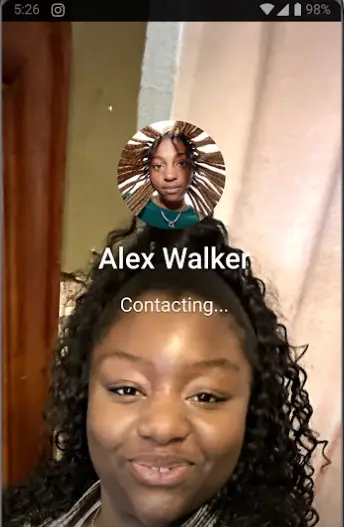
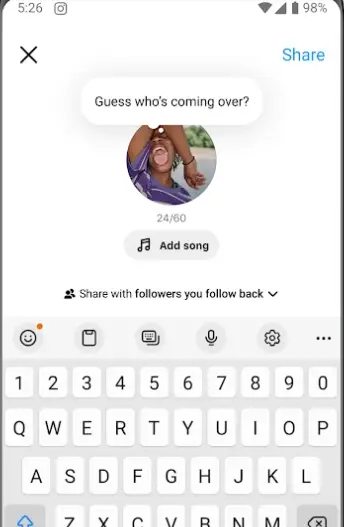
These are the screens EliteInsta signs you into: the Instagram experience as your account sees it, carried in the gold build. The home feed with its story rings, the full-screen Reels player, group direct messages, video calling and the Notes composer. Every frame below is the real app at work, not a render or a mock-up.
What the build delivers
Instagram Elite Features
Everything below describes what the EliteInsta build genuinely delivers: the complete Instagram experience, presented as a separate gold branded app. We describe the build we install and test, nothing borrowed from other modified clients.
- The full Instagram feed: posts, carousels and videos from the accounts you follow, with likes, comments, saves and shares working exactly as your account expects.
- Reels end to end: watch, record, edit and publish Reels with the camera tools, audio library and effects your account has access to.
- Stories that behave: post photos and video stories, reply to the stories of people you follow, and use the stickers, text and drawing tools built into the client.
- Real direct messages: one-to-one chats and group threads, photo and video messages, voice notes and reactions, all signed in as you.
- Explore and search: the Explore grid tuned to your interests, plus search for accounts, hashtags, audio and places.
- A separate install: its own package and icon, so EliteInsta and the official Instagram app sit side by side without overwriting, merging or disturbing each other.
- The gold identity: the project's crown wordmark and black and gold presentation, the signature of the Elite build from its developer.
- Developer-maintained releases: EliteInsta is published by elitevishal in numbered releases based on a recent Instagram build, and this page tracks the current one.
Plenty of pages promise a longer feature list by borrowing claims from unrelated mods. We would rather tell you exactly what this build is: Instagram, whole and complete, in a gold jacket, on its own icon.
The current release
What's New in the Current Release
The current EliteInsta release is built on a recent Instagram build, so the interface, camera tools and message features match what Instagram users expect from the modern app rather than an old frozen copy. If you have used Instagram lately, nothing here needs relearning: the tab bar, the Reels editor, the story camera and the inbox are where your thumbs already look for them.
What the Elite release line adds is continuity. The developer republishes the build as Instagram itself moves forward, and this site re-tests and refreshes the file with each release: package identity, size, sign-in, feed, Reels playback, story posting and messaging all get checked again on our phones before the new file replaces the old one here. When a release changes something material, the guides change with it.
Get it on your phone
How to Install Instagram Elite on Android
The install is the standard Android sideload, with one detail worth knowing in advance: installing EliteInsta does not touch your existing Instagram app, because the package names differ.
- Check your Android version: EliteInsta needs Android 9.0 or newer. Almost any phone from the last several years qualifies.
- Download the file: use the download button on this page and let the full 164.1 MB land, ideally on Wi-Fi. A partial file will not install.
- Allow the install: open the file, allow installs from your browser when Android asks, and tap Install. This permission is per app and can be switched off again afterwards.
- Sign in as yourself: open EliteInsta and log in with your normal Instagram account. Your feed, messages and profile are your account's, served to this client.
- Confirm the twins: check your app drawer: the official Instagram and the gold EliteInsta icon now sit side by side, each signed in independently.
If anything refuses, it is nearly always an incomplete download or the browser install permission. Our install guide in the blog walks through every screen and every failure we have seen.
Everyday Instagram
Feed, Reels and Explore in the Elite Build
The daily Instagram rhythm survives the move intact. The home feed opens on the accounts you follow, Reels are one tap away with the full editor behind the camera button, and Explore keeps learning from what you watch, save and send. Because you are signed in as yourself, none of your history resets: your following list, your saved collections, your message threads and your notification settings are properties of your account, not of the app you open it in.
The practical difference the second app makes is separation. Many of our readers keep a personal account in one app and a project, shop or photography account in the other, ending the log-out, log-in dance entirely. Others keep the official app as the untouched spare and do everything in the Elite build. Both patterns work because the installs are fully independent, down to their own notifications and cache.
Checked before listing
Safety and Verification
EliteInsta is a third-party build, and this site will never blur that line: it is made by its developer elitevishal, not by Meta, and it is not the official Instagram app. What we can stand behind is the file we serve and the checks it passes before it is listed here.
Every release is installed on our own test phones first. We verify the package name is com.eliteapp.android, confirm the file size matches the developer's release, sign in with our own test account, and work through the feed, Reels, story posting and messages before the download button is pointed at it. The file here is the file we run. If a build failed any of those checks, it would not be on this page.
No published rating exists for EliteInsta anywhere, so this site shows none rather than inventing stars. What you get instead is the testing record described on our How We Review page, and guides that say plainly what this build does and does not do.
File and requirements
Technical Details
The EliteInsta file is a full Instagram client, and its size reflects that: at 164.1 MB it carries the complete feed, camera, Reels editor and messaging stack rather than a lightweight shell. It requires Android 9.0 or newer, which covers the large majority of Android phones still in daily use, and it is free.
Storage after install grows the way Instagram storage always does, through cached images and video. If space gets tight, clearing the app's cache from Android settings is safe and routine; your account, posts and messages live server-side and are untouched by a cache clear. The full file facts, including the version and package, sit in the APK details table above.
Earlier releases
Old Versions
Older EliteInsta releases exist, and some readers go looking for them when a phone struggles or a change displeases them. Our honest advice is to stay on the current release: a social client is only as good as its connection to a service that keeps moving, and old builds of any Instagram client age badly as the platform changes behind them.
This page therefore lists one file, the current verified release, refreshed as the developer publishes. If you are moving from an older EliteInsta install, installing the new file over the top is the normal path and your sign-in and settings carry across; the update guide in the blog covers the steps and the exceptions.
Other ways to a second Instagram
Alternatives to Consider
The most obvious alternative is the official Instagram app itself, and for many people it is the right one: it updates automatically and needs no sideloading at all. EliteInsta exists for the readers the official app does not quite serve: people who want a second, fully independent Instagram install on the same phone, or who simply like the gold build's identity.
Android's own work profile and app cloning features on some phones can also duplicate apps, though the copies share the official client's identity and behaviour, and availability varies by manufacturer. We do not list other modified clients here, because we only write about builds we install and test ourselves. If a second Instagram is the goal, the honest shortlist is short: the official app, your phone's cloning feature if it has one, or EliteInsta.
When something refuses
Troubleshooting
The file will not install. Compare the downloaded size with 164.1 MB; a short file is a broken file, so download again on Wi-Fi. Then confirm the browser install permission is allowed and that your phone runs Android 9.0 or newer.
Sign-in keeps asking for a code. That is two-factor authentication doing its job on a new client. Approve the sign-in or enter the code, and the prompts settle once the build is recognised as yours.
EliteInsta replaced my Instagram. It cannot: the packages differ, so both apps should be present. If the official app seems missing, check the app drawer and any hidden or disabled apps list before assuming the worst.
The feed loads but Reels stutter. Clear the EliteInsta cache from Android settings, restart the app, and give it a minute to rebuild. Persistent stutter on an old phone is usually storage or memory pressure, and our performance guide covers the full checklist.
Staying current
How to Update Instagram Elite
Updating follows the same shape as installing. When the developer publishes a new EliteInsta release, we test it, refresh the file here, and you install the new file over your existing copy. Android recognises the package and treats it as an update: your sign-in, settings and data stay in place, and there is no uninstall step and no fresh login in the normal case.
Two habits keep updates painless. First, always update from a complete download, since a partial file fails and leaves you on the old build wondering why. Second, keep a little free storage beyond the file size, because an update needs room to unpack while the old build is still standing. The blog's update guide walks the whole routine, including what to do if an install ever does ask you to sign in again.